· 9 min read · Maus Team and Maus Team
Best self-hosted AI agents 2026: assistants, not frameworks
Ten self-hosted AI agents you can actually chat with, ranked on GUI, approval gates, model choice, and Windows support. Assistants only, no n8n or LangGraph.
The best self-hosted AI agents in 2026 are the ones you can talk to, not the ones you have to build. This list has ten of them, ranked on whether there is a GUI, whether the agent asks before it acts, which models it runs on, whether it controls your real computer or a sandbox, and whether it works on Windows and Linux. Maus is first because it is the only one that ticks every box; it is also the youngest and smallest project here. OpenClaw and Hermes have many times the stars.
Assistant or framework? Decide first
Most "best self-hosted AI agent" lists, including Vellum's and SSD Nodes', mix two different things. n8n, Dify, LangGraph, CrewAI, and AutoGen are frameworks: you build an agent out of them. The projects below are assistants: you install one, sign in, and start typing. If you want to ship an agent inside your own product, close this tab and go read about frameworks. If you want an agent that does your work while you do something else, keep reading.
How we ranked
Seven questions, each answered from the project's own docs or release notes on September 22, 2026.
- Is there a GUI? A terminal is fine for developers. Everyone else needs a window.
- Does it ask before it acts, by default? Not "can be configured to ask". What happens the first time you run it.
- Which models, and can it use the subscription you already pay for? Claude Max, ChatGPT, and SuperGrok logins are worth more than another API bill.
- Does it control your real computer, or a sandbox? Both are valid. They fail differently.
- Windows and Linux? Mac-only is a real limit for half the people searching this.
- License. MIT and Apache 2.0 let you fork and ship. AGPL adds copyleft obligations, and "source available" licences vary. Read them before you fork.
- Activity. Recent releases and a maintainer who answers issues.
1. Maus
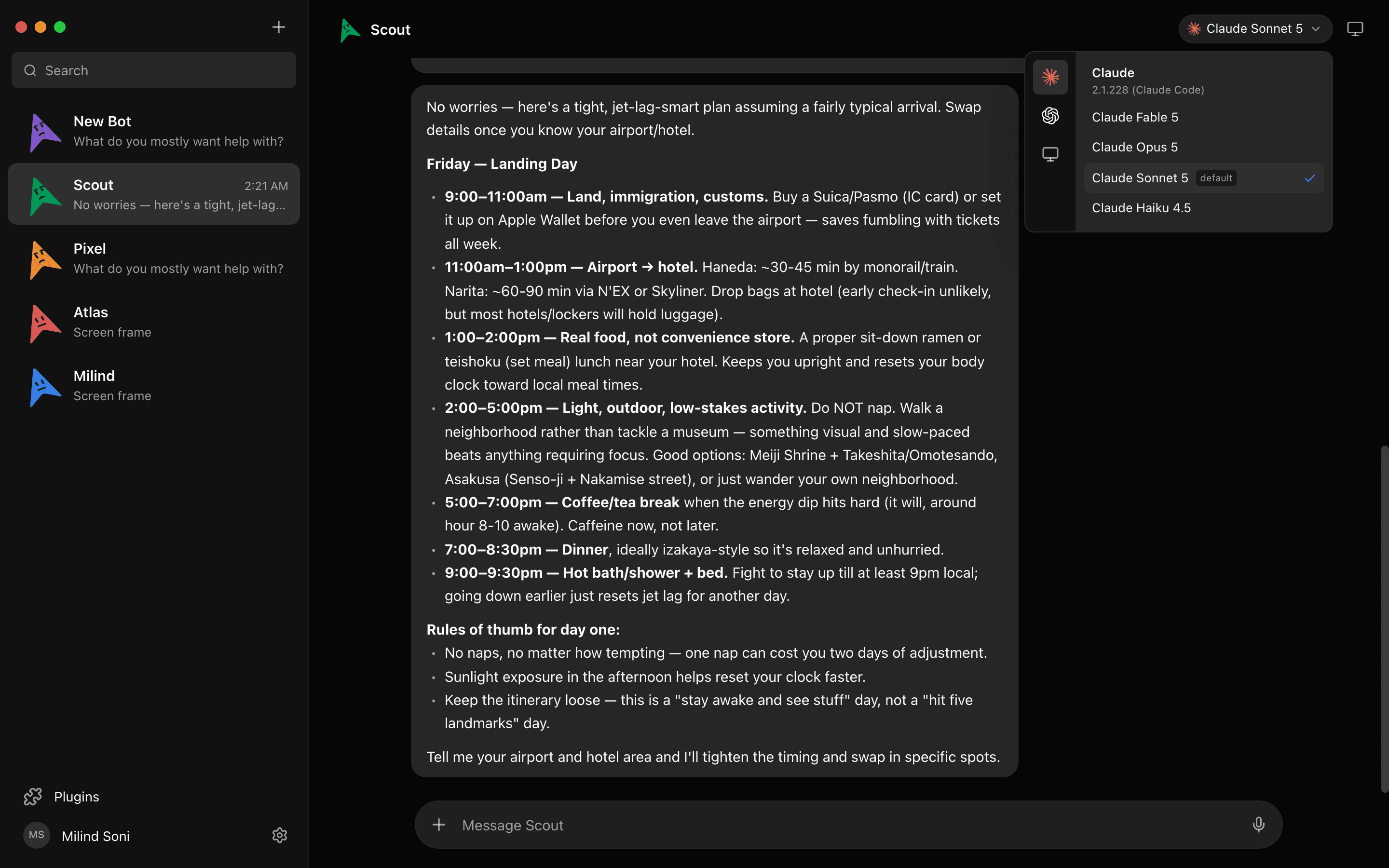
, ~3.2k stars, Apache 2.0. Plainly: the youngest and smallest project on this list, and not yet listed on most alternative roundups. It is first because of the shape. Maus is a Telegram-style chat app where every contact is a bot, and every bot has its own model, its own computer, its own connected apps, and its own memory. Bots run on the claude, codex, or grok CLI already installed on your machine, with the login you already have, so there is no second bill. The engine list also covers Cursor, Kimi, Droid, Antigravity, OpenCode, Qwen, any ACP CLI, and any OpenAI-compatible endpoint for local models.
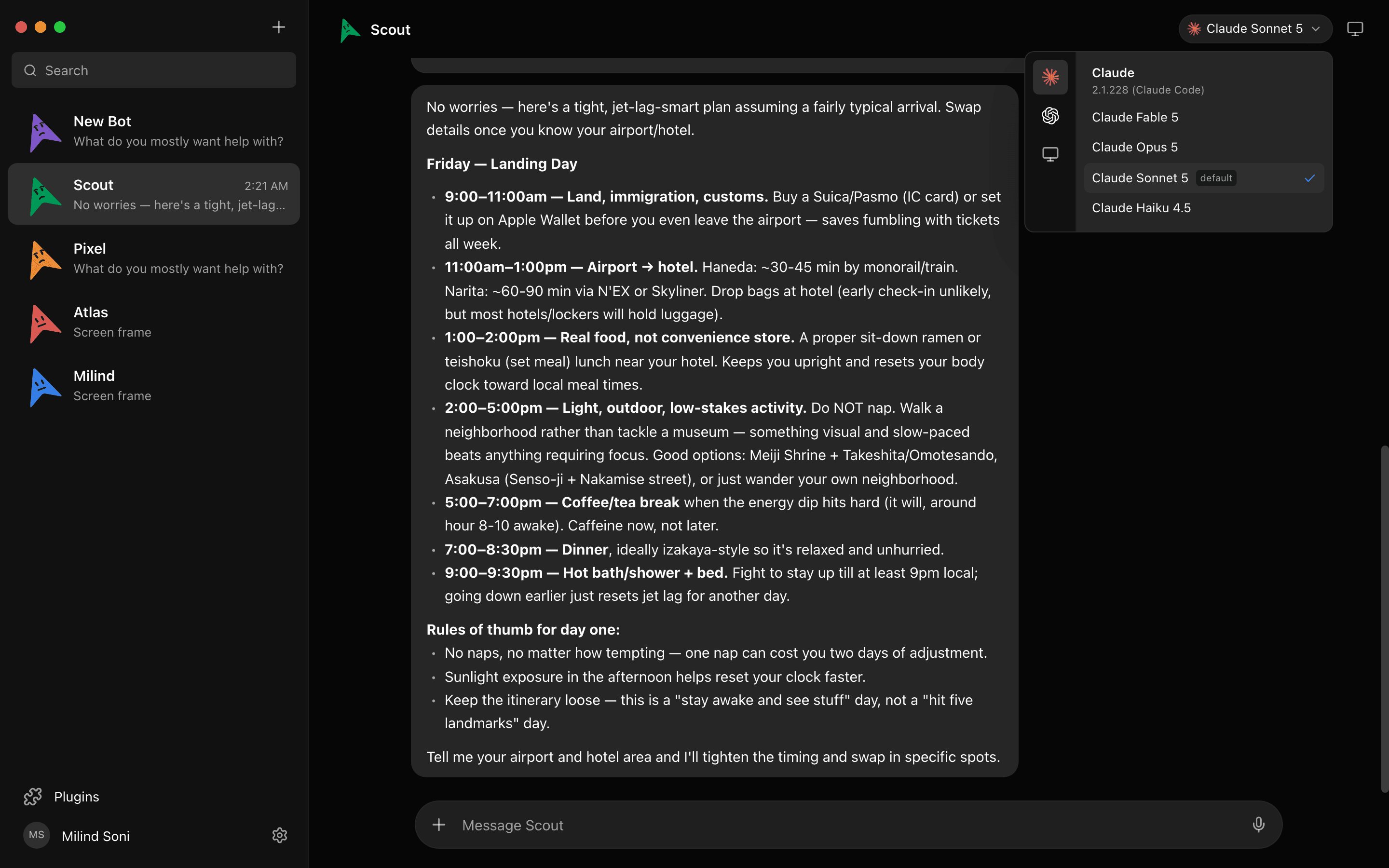
Every shell command and file edit surfaces as an Allow / Deny card in the chat before it runs, on both your own machine and a cloud desktop, with a decision log. A small harness on 127.0.0.1 owns every agent process and keeps transcripts and keys in ~/.maus. Builds for macOS (Apple Silicon and Intel), Windows x64, and Ubuntu; iOS and Android companions coming soon. What it lacks: bots only keep working with the laptop closed if they are on a cloud computer, there is no learn-by-watching, and no living inside WhatsApp or iMessage.

2. OpenClaw
github.com/openclaw/openclaw, ~390k stars, MIT. The most-starred self-hosted agent by a wide margin. A gateway daemon on port 18789 talks to 20+ chat channels (WhatsApp, Telegram, Discord, Slack, Signal, iMessage, Teams), runs skills from ClawHub, and speaks MCP. Models: Claude, OpenAI through a ChatGPT subscription via the Codex runtime, DeepSeek, and Ollama for local. v2.0 (August 30) added subscription auto-detect, a rebuilt Control Center with approvals, native apps with voice, and Computer Use on paired Macs and Windows machines. It has moved to a 501(c)(3) foundation.
The honest part. Exec approvals exist (deny, allowlist, ask, auto, full), but the default on gateway hosts is full, with no prompt. 2026 brought CVE-2026-25253 (one-click RCE through the Control UI, roughly 17.5k exposed instances), the ClawHavoc wave of over a thousand malicious ClawHub skills, and 312k+ gateways found on port 18789. The Register's take on v2.0 was that it is still "not bringing security by default". The maintainer's own line is that if you cannot run a command line, it is far too dangerous. Config-file heavy. If you can operate it, nothing else has the reach.
3. Hermes Agent
github.com/NousResearch/hermes-agent, ~248k stars, MIT, Python. Launched February 25, 2026 and grew fast on the "$5 VPS" pitch: a single agent that writes its own skills as it works, keeps FTS5 memory, runs cron jobs and subagents, and reaches you over 20+ chat gateways. Models via Nous Portal (300+), OpenRouter, OpenAI, Anthropic, or a custom endpoint including Ollama. Hermes Desktop has been in public preview since June 2 on macOS, Windows, and Linux. Approval is Codex-style command approval plus DM pairing.
Complaints from users: the self-evaluation always reports success, it overwrites hand-edited skills, the setup wizard can loop, and it is a single agent, not a team. Native Windows is still marked experimental.
4. ZeroClaw
ZeroClaw on GitHub, ~33k stars, MIT / Apache. A single Rust binary that connects to 30+ chat channels and runs tools in sandboxes. It is "supervised" by default, which is the right default and rarer than it should be. There is a web dashboard, but most people reach it through the channels. It runs on macOS, Windows, Linux, and FreeBSD.
5. Goose
github.com/block/goose, ~55k stars, Apache 2.0, from Block. Desktop app plus CLI, MCP-native, 15+ model providers. Goose has explicit approval modes, so you choose how much it asks. It leans toward developer work on the machine in front of you rather than a roster of always-on agents. A solid pick if you want one competent agent and a real company behind it.
6. NanoClaw
NanoClaw on GitHub, ~31k stars, MIT. The idea is isolation instead of approval: every chat runs in its own Docker container on the Claude Agent SDK. There is no approve UI. That is a coherent design if the blast radius you care about is the container; it is the wrong design if the agent has your Gmail token inside that container. Mac, Linux, and WSL2. Claude only.
7. OpenWork
github.com/different-ai/openwork, ~24k stars, MIT, a Y Combinator company. An Electron desktop app built on OpenCode that reads as a Claude Cowork clone: give it a folder, it plans and produces files. Mac, Windows, Linux. Models are whatever OpenCode supports. We could not find documented approval behaviour, so treat "asks first" as unknown until you try it.
8. Eigent
github.com/eigent-ai/eigent, ~15k stars, Apache 2.0. A multi-agent desktop built on CAMEL-AI, Node plus Python, marketed as human-in-the-loop. It ranks well on Claude Cowork alternative lists. The multi-agent part is real; the setup is heavier than a single download.
9. Vellum Assistant
Vellum Assistant on GitHub, ~1.3k stars, MIT. A desktop assistant for Mac and Windows with an interesting permission model: grants are tied to an actor identity, so what the agent may do is decided per identity rather than per prompt. Small project; the desktop app ships for Mac and Windows.
10. Open Interpreter
github.com/OpenInterpreter/open-interpreter, ~68k stars. One of the first "let the model run code on my machine" projects, now rewritten in Rust as a coding agent with approvals. CLI only. It is on this list for history and for people who live in a terminal; it is not a personal assistant in the sense the others are.
Side by side
Stars rounded on September 22, 2026, read from each project's GitHub page.
| Project | Stars | License | GUI | Asks before acting by default | Models | Win + Linux |
|---|---|---|---|---|---|---|
| Maus | ~3.2k | Apache 2.0 | Desktop app (chat) | Yes, every shell and file action | Claude, Codex, Grok CLIs; Cursor, Kimi, Droid, OpenCode, Qwen; any OpenAI-compatible endpoint | Yes, Windows and Ubuntu |
| OpenClaw | ~390k | MIT | Browser Control UI, CLI/TUI, native apps | No. Ask mode exists; default is full on gateway hosts | Claude, OpenAI via ChatGPT sub, DeepSeek, Ollama | Yes |
| Hermes Agent | ~248k | MIT | Hermes Desktop (preview) and CLI | Yes, Codex-style command approval | Nous Portal (300+), OpenRouter, OpenAI, Anthropic, Ollama | Linux yes; Windows native is experimental, WSL2 fine |
| ZeroClaw | ~33k | MIT / Apache | Single binary, 30+ chat channels | Yes, supervised by default | Anthropic, OpenAI, Ollama, ~20 more | Yes, plus FreeBSD and embedded |
| Goose | ~55k | Apache 2.0 | Desktop app and CLI | Approval modes; you pick one | 15+ providers incl. Ollama, MCP-native | Yes |
| NanoClaw | ~31k | MIT | Chat only | No approve UI; relies on containers | Claude, via the Claude Agent SDK | Linux yes; Windows via WSL2 |
| OpenWork | ~24k | MIT | Electron desktop app | Undocumented | Whatever OpenCode supports | Yes |
| Eigent | ~15k | Apache 2.0 | Multi-agent desktop app | Human-in-the-loop, per its docs | Cloud APIs, vLLM, Ollama, LM Studio | Yes |
| Vellum Assistant | ~1.3k | MIT | Desktop app | Grants per actor identity | Anthropic, OpenAI, Gemini, OpenRouter, Ollama | Windows yes; no Linux desktop |
| Open Interpreter | ~68k | Apache 2.0 | CLI | Yes, approvals; -y bypasses | Kimi, DeepSeek, Qwen, any OpenAI-compatible | Yes |
Pick by use case
- You already pay for Claude, ChatGPT, or SuperGrok and want a team of agents with a GUI: Maus. Each bot on its own login, approvals on every action.
- You want an agent you can message from WhatsApp or Telegram all day and you are comfortable running a daemon: OpenClaw, with exec approvals switched from full to ask before you expose it. Hermes if you would rather have one self-improving agent on a VPS.
- You want one careful developer agent from a company that will still exist next year: Goose.
- You want Claude Cowork without Anthropic's cloud: OpenWork or Eigent, and test the approval behaviour yourself.
- You want isolation over prompts: NanoClaw, and keep anything valuable out of the container.
Frequently asked questions
- What is the difference between a self-hosted AI agent and a framework?
- An agent is something you talk to: you type a message, it does the task, it comes back with the result. A framework is something you build with: n8n, Dify, LangGraph, CrewAI, and AutoGen give you nodes or classes to wire your own agent together. Every project on this list is the first kind. If you are a developer who wants to ship an agent inside a product, look at the second kind instead.
- Which self-hosted AI agent is the safest?
- The ones that ask before they act and keep data on your disk. Maus, Hermes, ZeroClaw, and Goose in an approval mode all put a gate in front of shell commands. OpenClaw has the same gate but ships with it off on gateway hosts, so you have to turn it on. NanoClaw takes a different route and isolates each chat in a container instead of asking. No project on this list has solved prompt injection; a gate limits what a bad instruction can do, it does not stop the instruction arriving.
- Can I run these with a local model?
- Most of them. OpenClaw and Hermes list Ollama. Goose supports 15+ providers. Maus bots can point at any OpenAI-compatible endpoint, which is how an Ollama-style local server plugs in. NanoClaw is built on the Claude Agent SDK and is Claude only. Expect a local model to be slower and to need more approvals corrected by hand.
- Do I need a VPS?
- No. Every desktop-app project here (Maus, Goose, OpenWork, Eigent, Vellum Assistant, Hermes Desktop) runs on the laptop in front of you. A VPS helps when you want the agent reachable from chat apps all day, which is the OpenClaw and Hermes way of working; Hermes markets itself around a $5 VPS. Maus can be self-hosted with npx maus serve if you want the same thing later.
- Which self-hosted agent works on Windows?
- Maus ships a Windows x64 build. OpenClaw runs its gateway on Windows and has a native Windows app. OpenWork and Vellum Assistant have Windows builds. Hermes supports native Windows as experimental and WSL2 properly. NanoClaw needs WSL2. For the rest, check the releases page before you commit.
Get started with Maus
Download for macOS, Windows, or Ubuntu, sign in with the CLIs you already have, and make your first bot. The app is free; you pay your model providers what you pay them now. If you are choosing between this and a hosted product, we compared Grok Bot and Meta Muse line by line. Source on .