· Updated · 5 min read · Maus Team and Maus Team
Maus: the open-source alternative to Grok Bot
Maus is a free, Apache-2.0-licensed alternative to xAI's Grok Bot: a chat app of AI bots that runs on your own Mac or PC using Claude, Codex, and Grok.
Maus is the open-source alternative to Grok Bot. It is the same idea, a chat app where every contact is an AI bot with its own model, computer, and apps, but it is free, Apache 2.0 licensed, runs on your own machine, and uses the Claude, Codex, and Grok agents you already pay for.
What is Grok Bot?
Grok Bot is xAI's agent product, launched in beta on August 11, 2026. Instead of one chatbot, you get a roster of bots in a messaging app. Each has its own thread and a cloud computer, signs into your tools, and comes back when a job is done or needs your call.
- Runs on Grok, in xAI's cloud, on macOS, Windows, Linux, iOS, and Android.
- Bots can share a group chat and hand work to each other.
- Show a bot a workflow once and it saves it as a routine.
- Included with SuperGrok ($30), Cursor Pro ($20), and higher plans since August 26, 2026; no free tier.
What is Maus?
Maus keeps the shape and changes everything underneath. Bots run on the claude, codex, and grok CLIs installed on your computer, with your existing logins. A small harness on 127.0.0.1 owns every agent process, and your data stays in ~/.maus. The code is on GitHub under Apache 2.0.
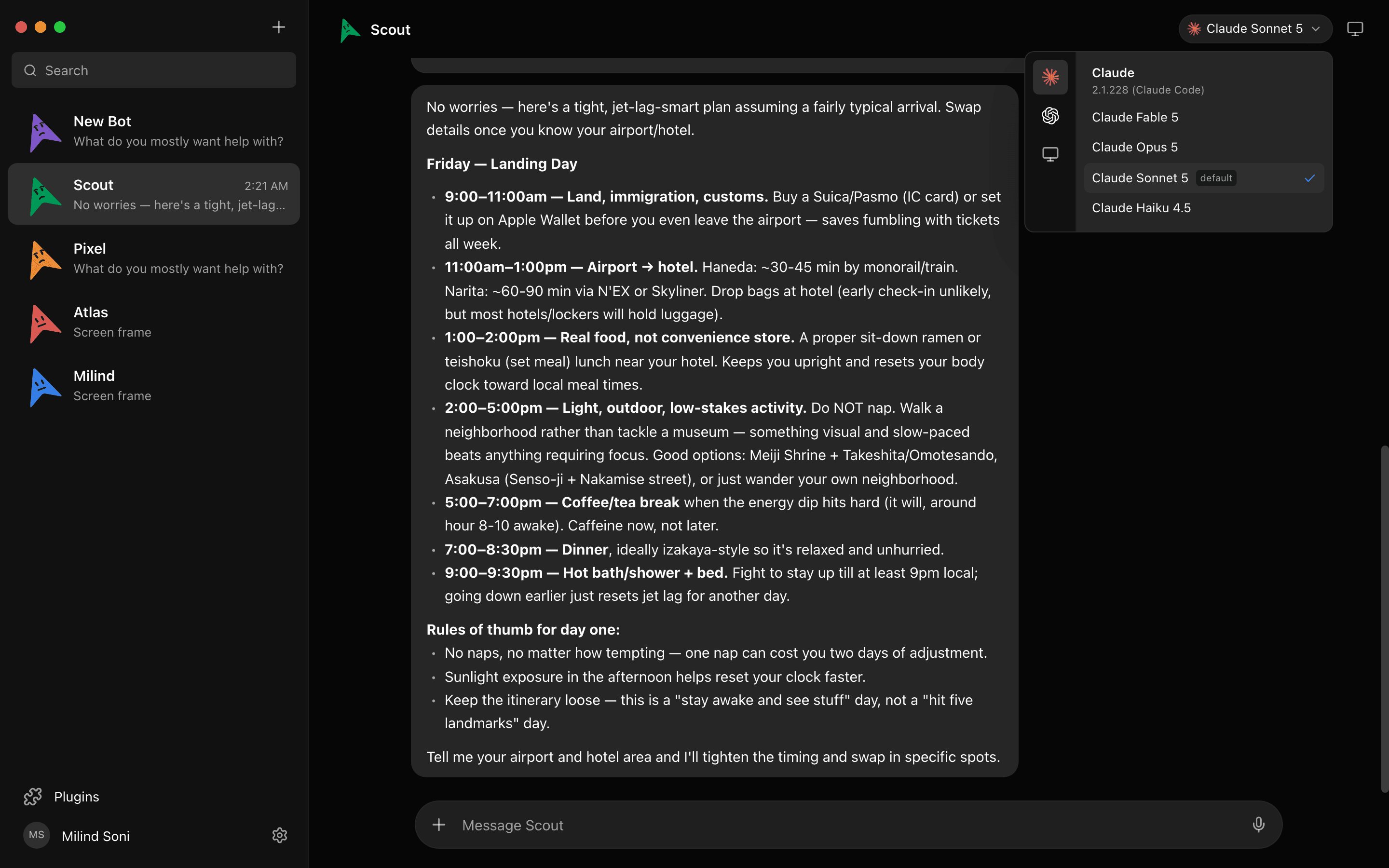
Try it. This is a live simulation of four bots working in parallel:
A simulation. Pick a bot, or type to it. The replies are scripted; the real thing runs on your own machine.
The short version of the comparison
Five rows decide it for most people. For the full fifteen — computers, connected apps, approvals, routines, voice, platforms, and the two things Grok Bot still does better — read Grok Bot vs Maus.
| Grok Bot | Maus | |
|---|---|---|
| Price | Included with SuperGrok ($30), Cursor Pro ($20), and higher plans, with its own weekly usage cap | Free. You pay your model providers directly. |
| License | Proprietary | Apache 2.0 |
| Models | Grok only | Claude, Codex, and Grok, per bot |
| Where agents run | xAI's cloud | Your machine, on the CLIs you already have |
| Where your data lives | xAI's servers | ~/.maus on your disk |
What Maus does
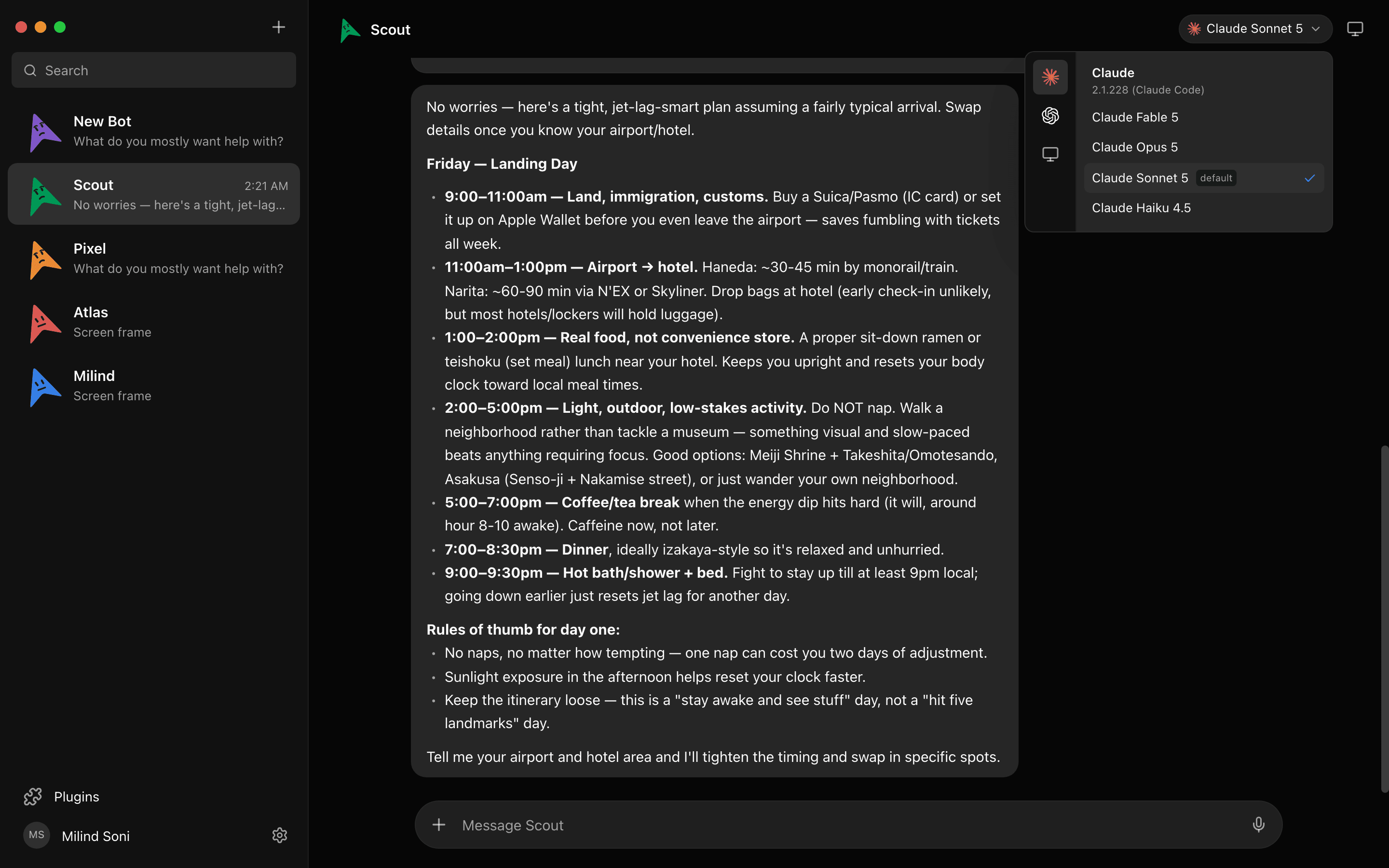
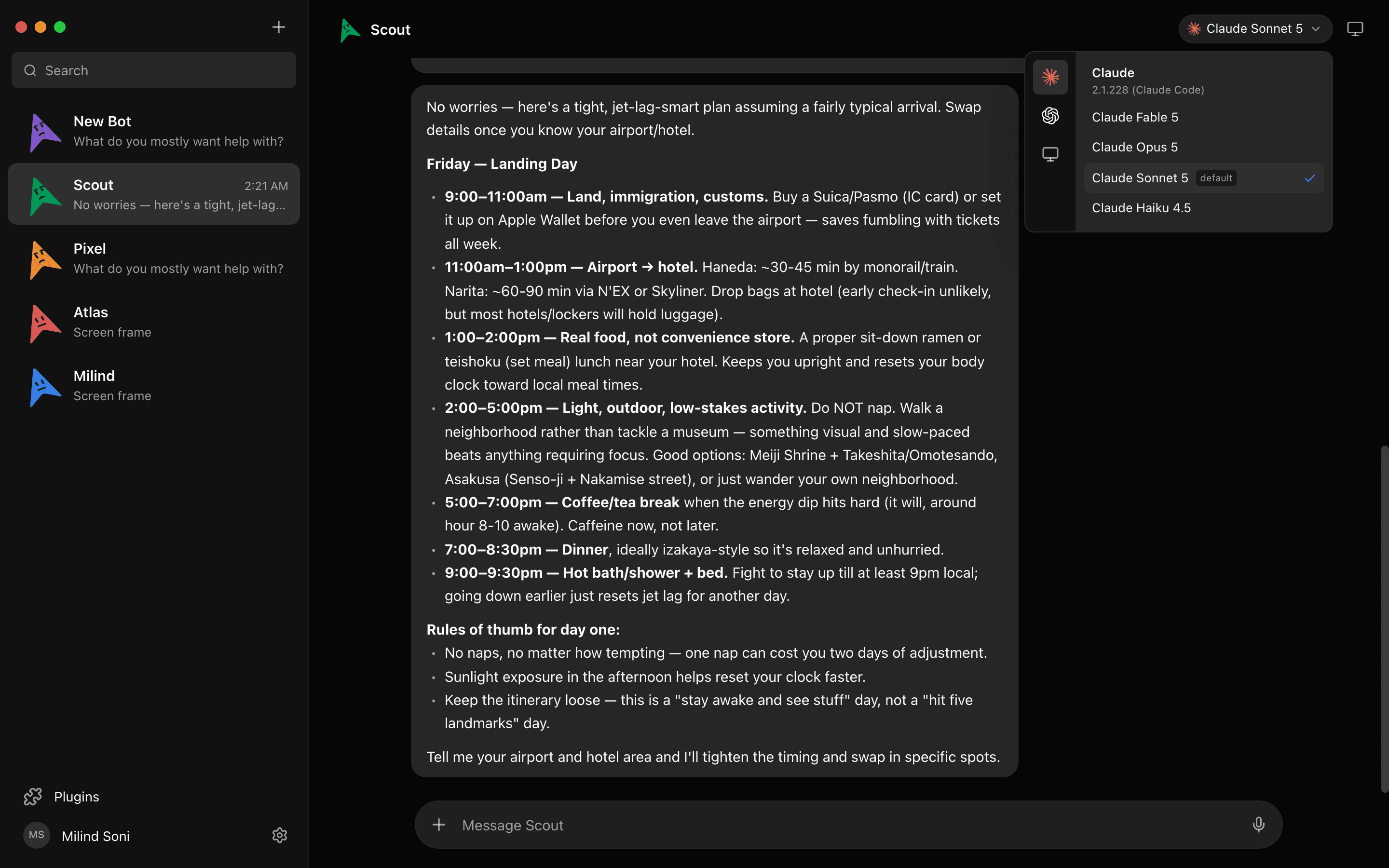
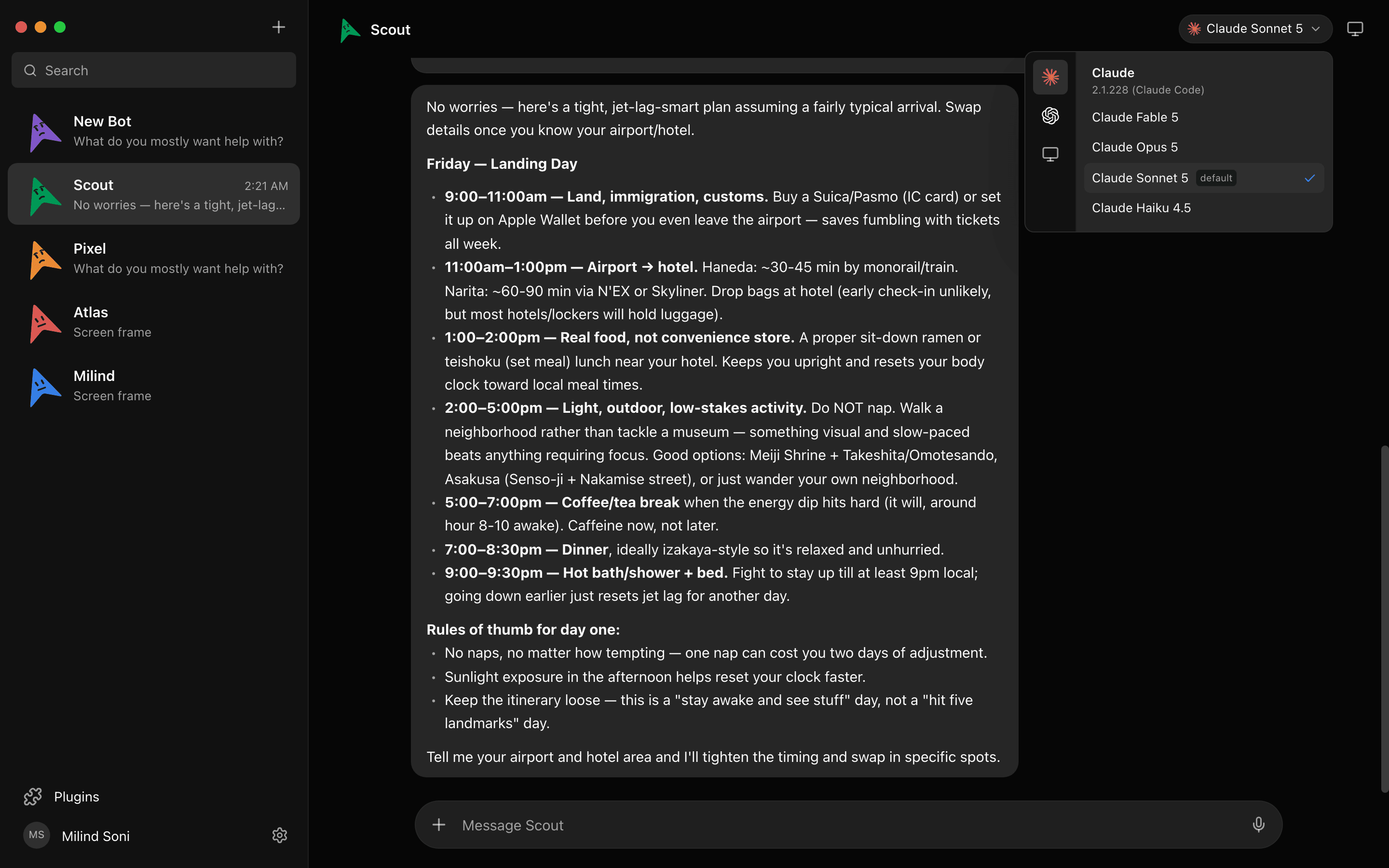
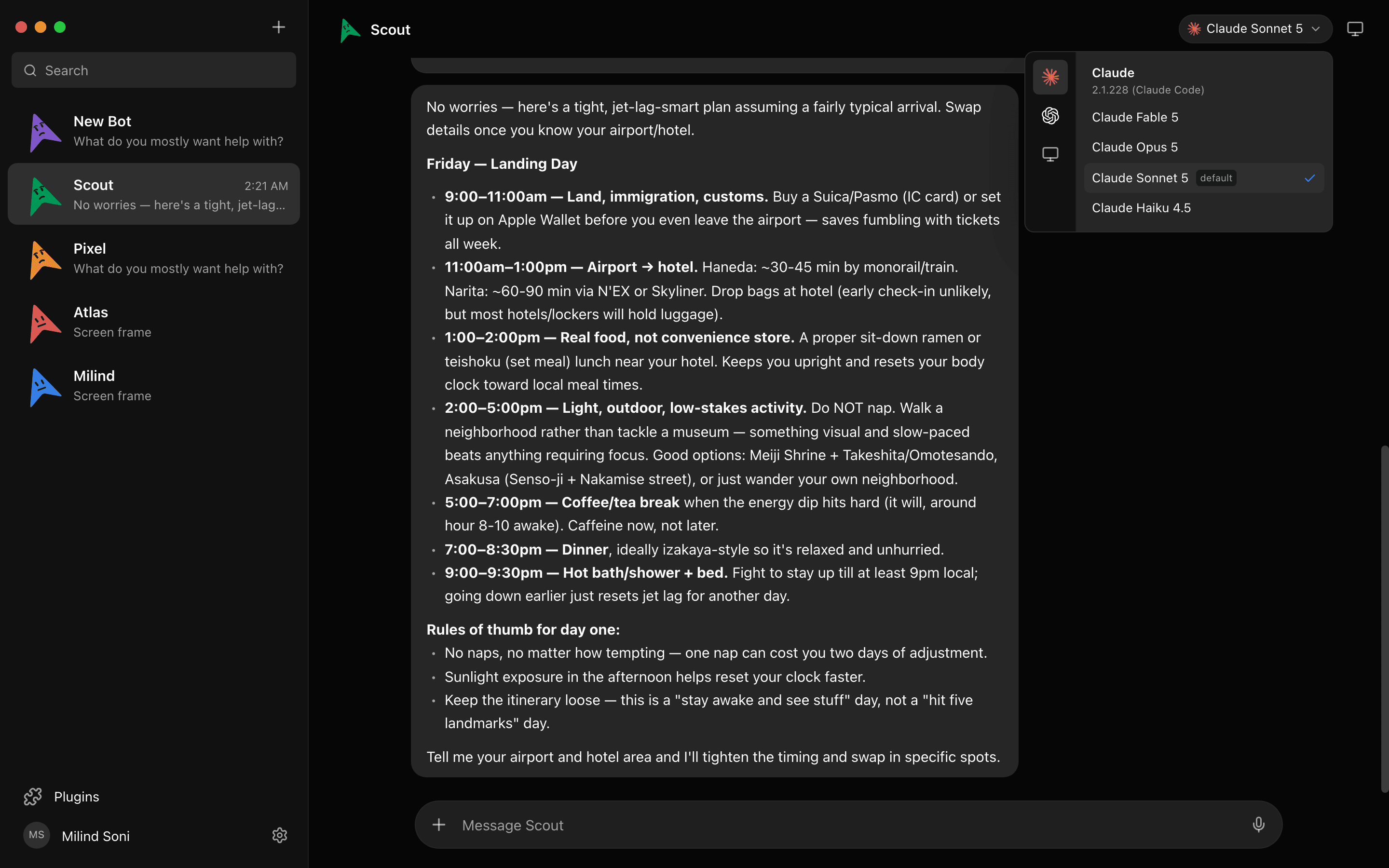
Pick a model per bot
Claude, Codex, and Grok models sit side by side in a provider rail. Give one bot Claude for writing and another Codex for code, and switch mid-conversation.
Every bot gets a computer
Open the Computer panel and a cloud desktop spins up on its own, with a live preview while the bot works. Or point the bot at your own Mac.

Bots ask before they act
Shell commands, file edits, and questions surface as cards in the chat. Allow, deny, or answer. It works the same for cloud and local computers.
Connected apps
Gmail, Slack, GitHub, Notion, Linear and hundreds more over Composio. OAuth once, and every bot can use them as tools.
Bots that work as a team
Put bots in a group room. One answers by default, or everyone does, or only the ones you @mention. Bots can ask each other questions and hand off work, and a peer-comms approval card lets you decide who talks to whom. Put the whole room on a call, or export the team for someone else to import.
Bots that talk back
Press the speaker on any reply, or hit call and have a conversation. The bot hears you, narrates its work, and asks for approvals out loud. Bring your own ElevenLabs key.
Which one should you choose?
Choose Grok Bot if you already pay for SuperGrok or Cursor Pro, Grok is the only model you need, and you are fine with your work living in xAI's cloud.
Choose Maus if you have Claude, Codex, or Grok subscriptions and want to use them, want a different model per bot, need your data on your own machine, or have a security review to pass.
Frequently asked questions
- Is Maus really free?
- Yes. The whole app is Apache 2.0 licensed with no paid tier and no locked features. You only pay the model providers you already use, such as your Claude or Codex subscription.
- Do I need a Grok subscription?
- No. Maus runs on whichever agent CLIs you have installed: claude, codex, or grok. Any one of them is enough to start.
- Is Maus affiliated with xAI?
- No. It is an independent open-source project inspired by Grok Bot. Grok is a trademark of its owner, and Maus is launching its own $MAUS token on Solana soon.
- Where does my data go?
- Nowhere, unless you send it. Transcripts, keys, and events live in
~/.mauson your own disk, and the harness listens only on127.0.0.1.
Get started in two minutes
The harness is embedded, so there is nothing else to install. Download for macOS, Windows, or Ubuntu, paste the keys you already have, and meet your first bot. Or read the source on first. Everything on the features list is free, forever.